Track and tag yours
Your tools, ladders and fall protection, on record with photos and serial numbers.
Log each tool with its make, model and serial, and a photo of the maker's tag. Fall-protection gear gets its own checklist inspection, and every inspection stays on file with the item. Mark a tool retired when it goes. Foreman adds the AI scan: a photo of one tool or a whole job box fills in the details.
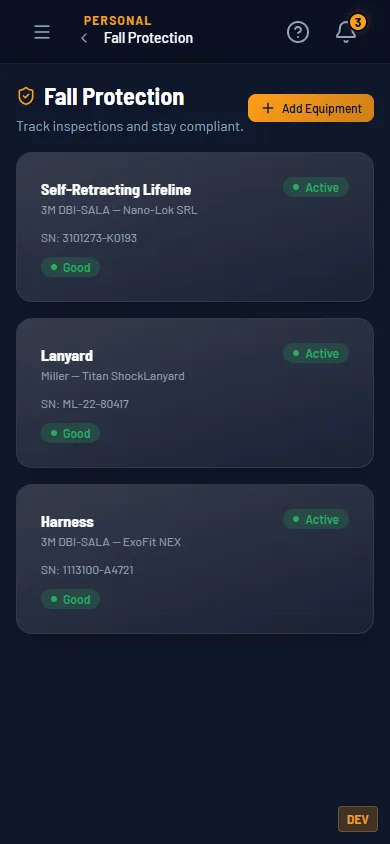
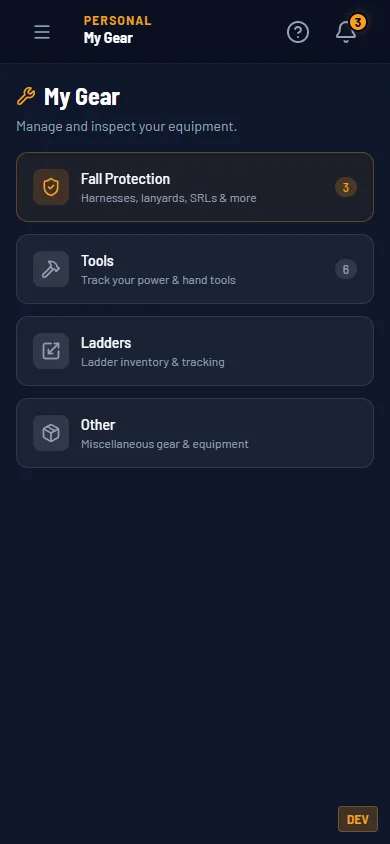
Fall protection, tools, ladders, other. Each with its own list. 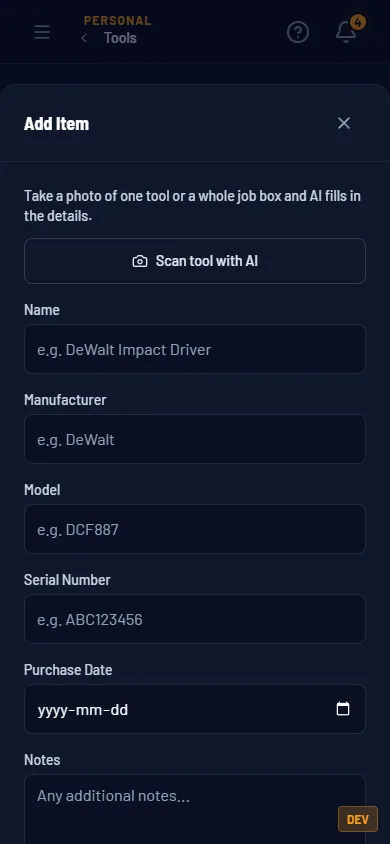
Scan tool with AI fills the fields from a photo. Foreman.
Start with this at $0
Logging and inspections are on Tradesman. The AI tool scan is on Foreman.
$0 and Foreman
| Track and tag yours | Tradesman $0 | Foreman $5/mo |
|---|---|---|
| Log tools, ladders and fall-protection gear with photos and serial numbers | Yes | Yes |
| Inspect fall-protection gear with HrdHat inspection forms, kept on file | Yes | Yes |
| Scan a tool or a job box from a photo to fill in the details | — | 30 an hour, 100 a month |
Same rows as the pricing table. Every row is a gate that exists in the product.
How it fits the rest
Forms
The harness and SRL inspections are HrdHat inspection forms, filed with the gear and in your Forms folder.
Certifications
Your fall-protection ticket and your fall-protection gear sit two taps apart.